Friday, 2 February 2024

Fast and Speedtest reday script || Mikrotik

Fast and Speedtest reday script

/ip firewall address-list

add address=10.0.0.0/8 list=Client-IP

add address=103.103.42.0/24 list=Fast-Speedtest

add address=103.125.178.0/24 list=Fast-Speedtest

add address=42.201.253.0/24 list=Fast-Speedtest

add address=103.135.44.0/24 list=Fast-Speedtest

add address=118.107.138.0/24 list=Fast-Speedtest

add address=103.113.100.0/24 list=Fast-Speedtest

add address=203.135.29.0/24 list=Fast-Speedtest

add address=115.167.73.0/24 list=Fast-Speedtest

add address=202.69.12.0/24 list=Fast-Speedtest

add address=58.65.177.0/24 list=Fast-Speedtest

add address=103.55.68.0/24 list=Fast-Speedtest

add address=58.65.171.0/24 list=Fast-Speedtest

add address=103.12.198.98 list=Fast-Speedtest

add address=182.176.176.0/24 list=Fast-Speedtest

add address=119.30.107.0/24 list=Fast-Speedtest

add address=115.186.185.0/24 list=Fast-Speedtest

add address=23.246.54.0/23 list=Fast-Speedtest

add address=54.154.202.0/23 list=Fast-Speedtest

add address=45.57.50.0/23 list=Fast-Speedtest

add address=198.38.114.0/23 list=Fast-Speedtest

add address=103.15.246.3 list=Fast-Speedtest

add address=151.101.10.219 list=Fast-Speedtest

add address=23.74.247.112 list=Fast-Speedtest

add address=103.15.40.4 list=Fast-Speedtest

add address=203.76.99.30 list=Fast-Speedtest

add address=103.58.73.2 list=Fast-Speedtest

add address=119.18.150.8 list=Fast-Speedtest

add address=103.15.164.23 list=Fast-Speedtest

add address=103.43.148.67 list=Fast-Speedtest

add address=192.168.10.2 list=Fast-Speedtest

add address=118.179.75.213 list=Fast-Speedtest

add address=123.253.37.2 list=Fast-Speedtest

add address=182.160.96.0/24 list=Fast-Speedtest

add address=103.15.40.0/24 list=Fast-Speedtest

add address=103.213.237.62 list=Fast-Speedtest

add address=210.176.156.49 list=Fast-Speedtest

add address=210.176.156.48 list=Fast-Speedtest

add address=151.101.54.114 list=Fast-Speedtest

add address=151.101.42.114 list=Fast-Speedtest

add address=151.101.10.214 list=Fast-Speedtest

add address=151.101.26.114 list=Fast-Speedtest

add address=151.101.0.143 list=Fast-Speedtest

add address=151.101.0.84 list=Fast-Speedtest

add address=125.56.237.3 list=Fast-Speedtest

add address=104.84.156.138 list=Fast-Speedtest

add address=59.151.128.157 list=Fast-Speedtest

add address=23.219.132.176 list=Fast-Speedtest

add address=23.198.124.11 list=Fast-Speedtest

add address=23.77.26.81 list=Fast-Speedtest

add address=182.79.223.0/24 list=Fast-Speedtest

add address=23.9.187.175 list=Fast-Speedtest

add address=52.33.112.234 list=Fast-Speedtest

add address=52.41.203.109 list=Fast-Speedtest

add address=69.173.159.0/24 list=Fast-Speedtest

add address=104.79.117.49 list=Fast-Speedtest

add address=104.118.129.134 list=Fast-Speedtest

add address=104.122.15.153 list=Fast-Speedtest

add address=104.122.11.167 list=Fast-Speedtest

add address=104.122.8.110 list=Fast-Speedtest

add address=104.121.255.145 list=Fast-Speedtest

add address=speedtest.net list=Fast-Speedtest

add address=Fast-Speedtest list=Fast-Speedtest

add address=151.101.1.130 list=Fast-Speedtest

add address=184.26.196.191 list=Fast-Speedtest

add address=173.239.53.18 list=Fast-Speedtest

add address=151.101.196.64 list=Fast-Speedtest

add address=151.101.193.21 list=Fast-Speedtest

add address=151.101.10.208 list=Fast-Speedtest

add address=151.101.10.109 list=Fast-Speedtest

add address=151.101.9.108 list=Fast-Speedtest

add address=151.101.2.133 list=Fast-Speedtest

add address=151.101.2.110 list=Fast-Speedtest

add address=151.101.2.109 list=Fast-Speedtest

add address=151.101.1.186 list=Fast-Speedtest

add address=23.74.243.73 list=Fast-Speedtest

add address=34.208.20.104 list=Fast-Speedtest

add address=35.172.96.212 list=Fast-Speedtest

add address=192.229.237.182 list=Fast-Speedtest

add address=151.101.65.21 list=Fast-Speedtest

add address=151.101.129.21 list=Fast-Speedtest

add address=151.101.10.2 list=Fast-Speedtest

add address=151.101.8.81 list=Fast-Speedtest

add address=151.101.2.114 list=Fast-Speedtest

add address=128.1.97.163 list=Fast-Speedtest

add address=104.118.121.11 list=Fast-Speedtest

add address=199.232.237.51 list=Fast-Speedtest

add address=151.101.126.91 list=Fast-Speedtest

add address=151.101.114.91 list=Fast-Speedtest

add address=151.101.130.91 list=Fast-Speedtest

add address=151.101.2.91 list=Fast-Speedtest

add address=151.101.1.42 list=Fast-Speedtest

add address=182.79.164.0/24 list=Fast-Speedtest

add address=23.47.232.222 list=Fast-Speedtest

add address=52.42.104.145 list=Fast-Speedtest

add address=52.41.214.164 list=Fast-Speedtest

add address=118.215.155.65 list=Fast-Speedtest

add address=44.233.205.57 list=Fast-Speedtest

add address=35.155.65.240 list=Fast-Speedtest

add address=100.20.17.138 list=Fast-Speedtest

add address=202.150.221.0/24 list=Fast-Speedtest

add address=182.79.161.0/24 list=Fast-Speedtest

add address=182.79.245.0/24 list=Fast-Speedtest

add address=182.79.160.0/22 list=Fast-Speedtest

add address=182.79.164.0/22 list=Fast-Speedtest

add address=45.57.50.0/24 list=Fast-Speedtest

add address=45.57.51.0/24 list=Fast-Speedtest

add address=108.159.58.0/24 list=Fast-Speedtest

add address=69.173.158.0/24 list=Fast-Speedtest

add address=182.79.164.2 list=Fast-Speedtest

add address=182.79.164.165 list=Fast-Speedtest

add address=182.79.164.55 list=Fast-Speedtest

add address=182.79.164.6 list=Fast-Speedtest

add address=182.79.161.233 list=Fast-Speedtest

add address=45.57.51.140 list=Fast-Speedtest

add address=182.79.223.234 list=Fast-Speedtest

add address=45.57.50.142 list=Fast-Speedtest

add address=182.79.223.230 list=Fast-Speedtest

add address=45.57.51.146 list=Fast-Speedtest

add address=45.57.50.150 list=Fast-Speedtest

add address=45.57.51.153 list=Fast-Speedtest

add address=23.246.55.163 list=Fast-Speedtest

add address=45.57.51.142 list=Fast-Speedtest

add address=49.44.61.0/24 list=Fast-Speedtest

add address=103.87.204.0/22 list=Fast-Speedtest

add address=23.246.0.0/18 list=Fast-Speedtest

add address=45.57.0.0/17 list=Fast-Speedtest

add address=37.77.184.0/21 list=Fast-Speedtest

add address=64.120.128.0/17 list=Fast-Speedtest

add address=108.175.32.0/20 list=Fast-Speedtest

add address=185.2.220.0/22 list=Fast-Speedtest

add address=185.9.188.0/22 list=Fast-Speedtest

add address=35.0.0.0/8 list=Fast-Speedtest

add address=182.79.0.0/16 list=Fast-Speedtest

add address=52.35.0.0/16 list=Fast-Speedtest

add address=23.246.0.0/16 list=Fast-Speedtest

add address=37.77.184.0/21 list=Fast-Speedtest

add address=45.57.0.0/17 list=Fast-Speedtest

add address=64.120.128.0/17 list=Fast-Speedtest

add address=66.197.128.0/17 list=Fast-Speedtest

add address=185.2.220.0/22 list=Fast-Speedtest

add address=185.9.188.0/22 list=Fast-Speedtest

add address=198.9.188.0/22 list=Fast-Speedtest

add address=198.38.96.0/19 list=Fast-Speedtest

add address=182.79.223.0/24 list=Fast-Speedtest

add address=182.79.164.0/24 list=Fast-Speedtest

add address=61.8.176.0/20 list=Fast-Speedtest

add address=199.58.164.0/22 list=Fast-Speedtest

add address=131.161.168.0/22 list=Fast-Speedtest

add address=103.101.59.0/24 list=Fast-Speedtest

add address=103.102.42.0/23 list=Fast-Speedtest

add address=23.77.0.0/18 list=Fast-Speedtest

add address=23.246.0.0/18 list=Fast-Speedtest


/ip firewall mangle


add action=mark-packet chain=forward dst-address-list=Fast-Speedtest new-packet-mark=fast-upload passthrough=no src-address-list=Client-IP

add action=mark-packet chain=forward dst-address-list=Client-IP new-packet-mark=fast-download passthrough=no src-address-list=Fast-Speedtest


/queue type

add kind=pcq name=fast-upload pcq-classifier=src-address pcq-dst-address6-mask=64 pcq-rate=30M pcq-src-address6-mask=64

add kind=pcq name=fast-download pcq-classifier=dst-address pcq-dst-address6-mask=64 pcq-rate=30M pcq-src-address6-mask=64


/queue simple

add name="Fast-Upload-bdix" dst=HTL-BDIX packet-marks=fast-upload queue=fast-upload/fast-download target=""

add name="Fast-Download-bdix" dst=HTL-BDIX packet-marks=fast-download queue=fast-upload/fast-download target=""

/queue simple

add name="Fast-Upload" dst=HTL-INT packet-marks=fast-upload queue=fast-upload/fast-download target=""

add name="Fast-Download" dst=HTL-INT packet-marks=fast-download queue=fast-upload/fast-download target=""

Thursday, 25 January 2024

Creating simple Juniper Plicier || Juniper

 Juniper Plicier:


set firewall policer 100M if-exceeding bandwidth-limit 100m

set firewall policer 100M if-exceeding burst-size-limit 256k

set firewall policer 100M then discard


set logical-systems ggc-rt firewall policer 900MB if-exceeding bandwidth-limit 900m

set logical-systems ggc-rt firewall policer 900MB if-exceeding burst-size-limit 1m

set logical-systems ggc-rt firewall policer 900MB then discard


set logical-systems fna-rt firewall policer 900MB if-exceeding bandwidth-limit 900m

set logical-systems fna-rt firewall policer 900MB if-exceeding burst-size-limit 1m

set logical-systems fna-rt firewall policer 900MB then discard


set logical-systems bdix-rt firewall policer 900MB if-exceeding bandwidth-limit 900m

set logical-systems bdix-rt firewall policer 900MB if-exceeding burst-size-limit 1m

set logical-systems bdix-rt firewall policer 900MB then discard


set logical-systems cdn-rt firewall policer 900MB if-exceeding bandwidth-limit 900m

set logical-systems cdn-rt firewall policer 900MB if-exceeding burst-size-limit 1m

set logical-systems cdn-rt firewall policer 900MB then discard


Juniper BGP Community simple use:

set policy-options community Upstream members 1400:991

set policy-options policy-statement Upstream-Out term 1 from community Upstream

set policy-options policy-statement Upstream-Out term 1 then accept

set policy-options policy-statement Upstream-Out term 5 then reject


set policy-options policy-statement CLIENT-INT-IN term 1 then community add Upstream

set policy-options policy-statement CLIENT-INT-IN term 1 then accept

Juniper to Cisco switch and mikrotik LACP configuration || Juniper || Cisco || Mikrotik

 Juniper to Cisco switch LACP configuration:


Juniper Side:

set chassis aggregated-devices ethernet device-count 20   

[Above line is Mandatory for First time LACP config in Juniper]

set interfaces ae0 description "Bundle-1"

set interfaces ae0 vlan-tagging

set interfaces ae0 aggregated-ether-options link-speed 1g

set interfaces ae0 aggregated-ether-options lacp active

set interfaces ge-0/0/0 gigether-options 802.3ad ae0

set interfaces ge-0/0/1 gigether-options 802.3ad ae0


Cisco Side: 

interface Port-channel1

 switchport trunk encapsulation dot1q

 switchport mode trunk

!

interface GigabitEthernet0/0

 switchport trunk encapsulation dot1q

 switchport mode trunk

 negotiation auto

 channel-group 1 mode active

!

interface GigabitEthernet0/1

 switchport trunk encapsulation dot1q

 switchport mode trunk

 negotiation auto

 channel-group 1 mode active


Juniper to Mikrotik LACP/Bonding configuration: 


Juniper Side: 

As above

Mikrotik Side: 


/interface bonding
add mode=802.3ad name=Juniper slaves=ether1,ether2

Juniper Configuration boiler Plate || VLAN, eBGP, P2P, Logical system, Firewall Policier, eBGP in/out Filter || Juniper

 Juniper Client Configuration boiler Plate:

set interfaces et-0/0/0 unit 2867 description "Mridha-Corpo-Patuakhali-F@H-IPT"
set interfaces et-0/0/0 unit 2867 vlan-id 2867
set interfaces et-0/0/0 unit 2867 family inet policer input 10MB
set interfaces et-0/0/0 unit 2867 family inet policer output 10MB
set interfaces et-0/0/0 unit 2867 family inet address 172.20.20.29/30

set logical-systems ggc-rt interfaces et-0/0/0 unit 2868 description "Mridha-Corpo-Patuakhali-F@H-GGC"
set logical-systems ggc-rt interfaces et-0/0/0 unit 2868 vlan-id 2868
set logical-systems ggc-rt interfaces et-0/0/0 unit 2868 family inet policer input 10MB
set logical-systems ggc-rt interfaces et-0/0/0 unit 2868 family inet policer output 10MB
set logical-systems ggc-rt interfaces et-0/0/0 unit 2868 family inet address 172.20.24.17/30

set logical-systems fna-rt interfaces et-0/0/0 unit 2869 description "Mridha-Corpo-Patuakhali-F@H-FNA"
set logical-systems fna-rt interfaces et-0/0/0 unit 2869 vlan-id 2869
set logical-systems fna-rt interfaces et-0/0/0 unit 2869 family inet policer input 10MB
set logical-systems fna-rt interfaces et-0/0/0 unit 2869 family inet policer output 10MB
set logical-systems fna-rt interfaces et-0/0/0 unit 2869 family inet address 172.20.28.17/30

set logical-systems bdix-rt interfaces et-0/0/0 unit 2870 description "Mridha-Corpo-Patuakhali-F@H-BDIX"
set logical-systems bdix-rt interfaces et-0/0/0 unit 2870 vlan-id 2870
set logical-systems bdix-rt interfaces et-0/0/0 unit 2870 family inet address 172.20.32.21/30

set logical-systems cdn-rt interfaces et-0/0/0 unit 2871 description "Mridha-Corpo-Patuakhali-F@H-CDN"
set logical-systems cdn-rt interfaces et-0/0/0 unit 2871 vlan-id 2871
set logical-systems cdn-rt interfaces et-0/0/0 unit 2871 family inet policer input 30M
set logical-systems cdn-rt interfaces et-0/0/0 unit 2871 family inet policer output 30M
set logical-systems cdn-rt interfaces et-0/0/0 unit 2871 family inet address 172.20.36.25/30

set policy-options policy-statement "Mridha-Corpo-Patuakhali-F@H-IPT-IN" term 1 from protocol bgp
set policy-options policy-statement "Mridha-Corpo-Patuakhali-F@H-IPT-IN" term 1 from route-filter 103.61.240.130/31 exact
set policy-options policy-statement "Mridha-Corpo-Patuakhali-F@H-IPT-IN" term 1 then accept
set policy-options policy-statement "Mridha-Corpo-Patuakhali-F@H-IPT-IN" term 10 then reject

set protocols bgp group "Mridha-Corpo-Patuakhali-F@H-IPT" neighbor 172.20.20.30 description "Mridha-Corpo-Patuakhali-F@H-IPT"
set protocols bgp group "Mridha-Corpo-Patuakhali-F@H-IPT" neighbor 172.20.20.30 local-address 172.20.20.29
set protocols bgp group "Mridha-Corpo-Patuakhali-F@H-IPT" neighbor 172.20.20.30 import "Mridha-Corpo-Patuakhali-F@H-IPT-IN"
set protocols bgp group "Mridha-Corpo-Patuakhali-F@H-IPT" neighbor 172.20.20.30 export clients-default-out
set protocols bgp group "Mridha-Corpo-Patuakhali-F@H-IPT" neighbor 172.20.20.30 peer-as 64500

set logical-systems ggc-rt policy-options policy-statement "Mridha-Corpo-Patuakhali-F@H-GGC-IN" term 1 from protocol bgp
set logical-systems ggc-rt policy-options policy-statement "Mridha-Corpo-Patuakhali-F@H-GGC-IN" term 1 from route-filter 103.61.240.130/31 exact
set logical-systems ggc-rt policy-options policy-statement "Mridha-Corpo-Patuakhali-F@H-GGC-IN" term 1 then accept
set logical-systems ggc-rt policy-options policy-statement "Mridha-Corpo-Patuakhali-F@H-GGC-IN" term 10 then reject

set logical-systems ggc-rt protocols bgp group "Mridha-Corpo-Patuakhali-F@H-GGC-IN" neighbor 172.20.24.18 description "Mridha-Corpo-Patuakhali-F@H-GGC"
set logical-systems ggc-rt protocols bgp group "Mridha-Corpo-Patuakhali-F@H-GGC-IN" neighbor 172.20.24.18 local-address 172.20.24.17
set logical-systems ggc-rt protocols bgp group "Mridha-Corpo-Patuakhali-F@H-GGC-IN" neighbor 172.20.24.18 import "Mridha-Corpo-Patuakhali-F@H-GGC-IN"
set logical-systems ggc-rt protocols bgp group "Mridha-Corpo-Patuakhali-F@H-GGC-IN" neighbor 172.20.24.18 export clients-ggc-out
set logical-systems ggc-rt protocols bgp group "Mridha-Corpo-Patuakhali-F@H-GGC-IN" neighbor 172.20.24.18 peer-as 64500

set logical-systems fna-rt policy-options policy-statement "Mridha-Corpo-Patuakhali-F@H-FNA-IN" term 1 from protocol bgp
set logical-systems fna-rt policy-options policy-statement "Mridha-Corpo-Patuakhali-F@H-FNA-IN" term 1 from route-filter 103.61.240.130/31 exact
set logical-systems fna-rt policy-options policy-statement "Mridha-Corpo-Patuakhali-F@H-FNA-IN" term 1 then accept
set logical-systems fna-rt policy-options policy-statement "Mridha-Corpo-Patuakhali-F@H-FNA-IN" term 10 then reject

set logical-systems fna-rt protocols bgp group "Mridha-Corpo-Patuakhali-F@H-FNA" neighbor 172.20.28.18 description "Mridha-Corpo-Patuakhali-F@H-FNA"
set logical-systems fna-rt protocols bgp group "Mridha-Corpo-Patuakhali-F@H-FNA" neighbor 172.20.28.18 local-address 172.20.28.17
set logical-systems fna-rt protocols bgp group "Mridha-Corpo-Patuakhali-F@H-FNA" neighbor 172.20.28.18 import "Mridha-Corpo-Patuakhali-F@H-FNA-IN"
set logical-systems fna-rt protocols bgp group "Mridha-Corpo-Patuakhali-F@H-FNA" neighbor 172.20.28.18 export clients-fna-out
set logical-systems fna-rt protocols bgp group "Mridha-Corpo-Patuakhali-F@H-FNA" neighbor 172.20.28.18 peer-as 64500

set logical-systems bdix-rt policy-options policy-statement "Mridha-Corpo-Patuakhali-F@H-BDIX" term 1 from protocol bgp
set logical-systems bdix-rt policy-options policy-statement "Mridha-Corpo-Patuakhali-F@H-BDIX" term 1 from route-filter 103.61.240.130/31 exact
set logical-systems bdix-rt policy-options policy-statement "Mridha-Corpo-Patuakhali-F@H-BDIX" term 1 then accept
set logical-systems bdix-rt policy-options policy-statement "Mridha-Corpo-Patuakhali-F@H-BDIX" term 10 then reject

set logical-systems bdix-rt protocols bgp group "Mridha-Corpo-Patuakhali-F@H-BDIX" neighbor 172.20.32.22 description "Mridha-Corpo-Patuakhali-F@H-BDIX"
set logical-systems bdix-rt protocols bgp group "Mridha-Corpo-Patuakhali-F@H-BDIX" neighbor 172.20.32.22 local-address 172.20.32.21
set logical-systems bdix-rt protocols bgp group "Mridha-Corpo-Patuakhali-F@H-BDIX" neighbor 172.20.32.22 import "Mridha-Corpo-Patuakhali-F@H-BDIX"
set logical-systems bdix-rt protocols bgp group "Mridha-Corpo-Patuakhali-F@H-BDIX" neighbor 172.20.32.22 export BDIX-NEW-OUT
set logical-systems bdix-rt protocols bgp group "Mridha-Corpo-Patuakhali-F@H-BDIX" neighbor 172.20.32.22 peer-as 64500

set logical-systems cdn-rt policy-options policy-statement "Mridha-Corpo-Patuakhali-F@H-CDN" term 1 from protocol bgp
set logical-systems cdn-rt policy-options policy-statement "Mridha-Corpo-Patuakhali-F@H-CDN" term 1 from route-filter 103.61.240.130/31 exact
set logical-systems cdn-rt policy-options policy-statement "Mridha-Corpo-Patuakhali-F@H-CDN" term 1 then accept
set logical-systems cdn-rt policy-options policy-statement "Mridha-Corpo-Patuakhali-F@H-CDN" term 10 then reject

set logical-systems cdn-rt protocols bgp group "Mridha-Corpo-Patuakhali-F@H-CDN" neighbor 172.20.36.26 description "Mridha-Corpo-Patuakhali-F@H-CDN"
set logical-systems cdn-rt protocols bgp group "Mridha-Corpo-Patuakhali-F@H-CDN" neighbor 172.20.36.26 local-address 172.20.36.25
set logical-systems cdn-rt protocols bgp group "Mridha-Corpo-Patuakhali-F@H-CDN" neighbor 172.20.36.26 import "Mridha-Corpo-Patuakhali-F@H-CDN"
set logical-systems cdn-rt protocols bgp group "Mridha-Corpo-Patuakhali-F@H-CDN" neighbor 172.20.36.26 export clients-cdn-out
set logical-systems cdn-rt protocols bgp group "Mridha-Corpo-Patuakhali-F@H-CDN" neighbor 172.20.36.26 peer-as 64500

Monday, 3 July 2023

Installing Pnetlab Network Simulation Software

 Introducing the most powerful tool to create, share and practice Networking Lab with multi-vendors. Free of cost. Let's see the features. It's the best alternative for Eve-NG. You will get all the pro features of eve-ng in Pnetlab. 


For proper Documentation please visit: https://pnetlab.com/pages/documentation 

And for Supported Images visit: https://pnetlab.com/pages/documentation?slug=PNETLab-Supported-Images


To download Pnet lab: Drive Link-1

                                     Drive Link-2

                                     Mega Link


Down load the .OVA file from above link. for open the OVA file you need to install vmware workstation. 


Please download Vmware from given Link: https://mega.nz/folder/k3BCWRRQ#RQrkov94is5_qTS6QU9ZGA/folder/xu5AhYIB


Saturday, 1 July 2023

Installing Cacti-0.8.8f with weathermap in ubuntu-server 16.04 lts server

 First, we need to install a lamp server


To install LAMP, add the following repository as shown below –

sudo add-apt-repository 'deb http://archive.ubuntu.com/ubuntu trusty universe'


To install the lamp server 

sudo apt-get install apache2 mysql-server php libapache2-mod-php

While install lamp it will ask for root password


To install snmpd RRdTool
$ sudo apt-get install snmp snmpd rrdtool


To install Cacti

$sudo apt-get install snmpd cacti cacti-spine

It will ask for setup web server 


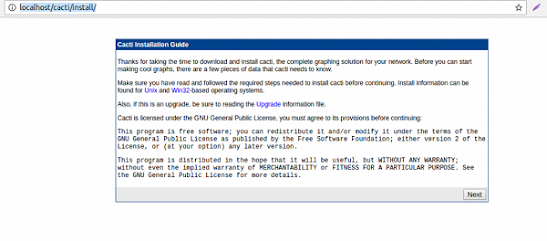
Done. open browser and install cacti

http://192.168.9.91/cacti/install/


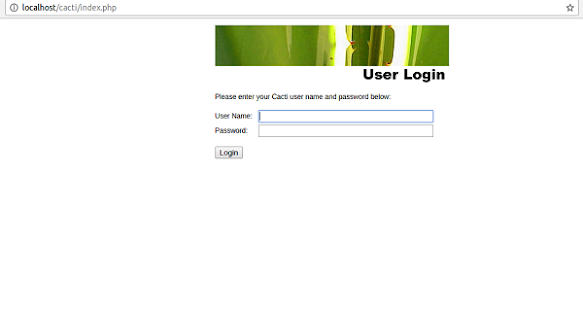
The default username and password is

User name :admin
Password: admin

Before install any plugin please install php-gd and restart apache web server

apt-get install php-gd
/etc/init.d/apache2 restart


Then download php weather map 0.98a. and extract the zip file. 


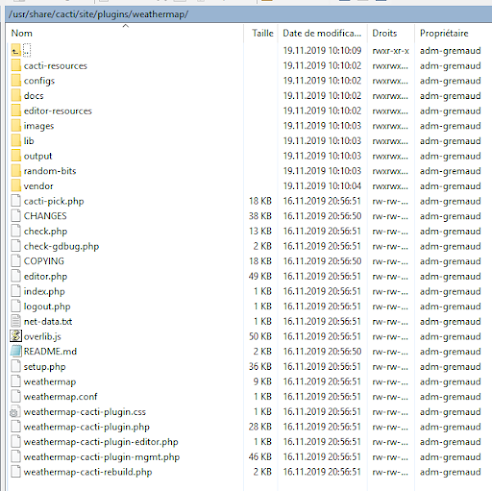
Login to your ubuntu server via winscp. and copy the extracted wethermap folder to your ubuntu server /usr/share/cacti/site/plugins/weather map folder


Now go to cacti plugin management and install weathermap plugin.


and then permission to the weathermap config file. 

chmod -R 777 /usr/share/cacti/site/plugins/weathermap/configs


Installing Realtime graph plugin. 


And install same like as Weathermap plugin


Thursday, 29 June 2023

Networking Resources Free

Emulator: 

3. GNS3


ISO/img/qcow2/os/Images 

5. 

Resource Free and Paid

How to setup Open Source Zimbra mail server in Ubuntu Server 20.4 LTS

 Mainly Zima system have some requirements. but if you are trying to install it on a virtual emulation or eve-ng/pnetlab then no need to follow their official requirements. just folow the below steps. 


1. Need a Domain name: I have mail.shaharul.abc

2. Need Domain name record in DNS server 

TypeHostValue
Amail192.168.9.91
MX@mail.shaharul.abc 91
If you setup your dns server as i have posted a dns server setup blog. then no need to setup above configuration. 


Setup Server


Update Repo 

sudo -i
apt update && apt upgrade -y

Set Hostname matched your mail server domain name

hostnamectl set-hostname mail.shaharul.abc
sudo -i

Now edit the host file 

nano /etc/hosts


and paste as below

    127.0.0.1 localhost
    127.0.1.1 mail.shaharul.abc mail
    192.168.9.91 mail.shaharul.abc mail


Next, we need to install Dnsmasq to create and manage a few DNS records required by Zimbra. We also need to disable systemd-resolve in order to avoid conflict between dnsmasq and systemd-resolve


systemctl disable systemd-resolved
systemctl stop systemd-resolved
ls -lh /etc/resolv.conf
rm -f /etc/resolv.conf

Now create your own resolv.conf 


nano /etc/resolv.conf

set name server as below

    nameserver 192.168.9.92


Now install Dnsmasq


apt install dnsmasq -y


Now configure Dnsmasq 

Edit dnsmasq.conf.bak

cp /etc/dnsmasq.conf /etc/dnsmasq.conf.bak
nano /etc/dnsmasq.conf


and paste below content at bottom of the file and change ip and server as your. 

    server= 192.168.9.91
    domain=shaharul.abc
    mx-host= shaharul.abc, mail.shaharul.abc, 5
    mx-host= mail.shaharul.abc, mail.shaharul.abc, 5
    listen-address=127.0.0.1

Now dig the command and see  A record


root@mail:~# dig -t A mail.shaharul.abc
 
; <<>> DiG 9.16.1-Ubuntu <<>> -t A mail.shaharul.abc
;; global options: +cmd
;; Got answer:
;; ->>HEADER<<- opcode: QUERY, status: NOERROR, id: 15272
;; flags: qr rd ra; QUERY: 1, ANSWER: 1, AUTHORITY: 0, ADDITIONAL: 1
 
;; OPT PSEUDOSECTION:
; EDNS: version: 0, flags:; udp: 512
;; QUESTION SECTION:
;mail.shaharul.abc.              IN      A
 
;; ANSWER SECTION:
mail.shaharul.abc.       1799    IN      A       192.168.9.91
 
;; Query time: 31 msec
;; SERVER: 192.168.9.92#53(192.168.9.92)
;; WHEN: Sun Jul 10 14:59:46 CEST 2022
;; MSG SIZE  rcvd: 61


Also check MX record


root@mail:~# dig -t MX shaharul.abc
 
; <<>> DiG 9.16.1-Ubuntu <<>> -t MX shaharul.abc
;; global options: +cmd
;; Got answer:
;; ->>HEADER<<- opcode: QUERY, status: NOERROR, id: 4658
;; flags: qr rd ra; QUERY: 1, ANSWER: 1, AUTHORITY: 0, ADDITIONAL: 1
 
;; OPT PSEUDOSECTION:
; EDNS: version: 0, flags:; udp: 512
;; QUESTION SECTION:
;shaharul.abc.                   IN      MX
 
;; ANSWER SECTION:
shaharul.abc.            1799    IN      MX      91 mail.shaharul.abc.
 
;; Query time: 35 msec
;; SERVER: 192.168.9.92#53(192.168.9.92)
;; WHEN: Sun Jul 10 14:59:05 CEST 2022
;; MSG SIZE  rcvd: 61


Now install zimbra Open source


wget https://files.zimbra.com/downloads/8.8.15_GA/zcs-8.8.15_GA_4179.UBUNTU20_64.20211118033954.tgz
tar xvzf zcs-8.8.15_GA_4179.UBUNTU20_64.20211118033954.tgz
cd zcs-8.8.15_GA_4179.UBUNTU20_64.20211118033954
./install.sh

Now it will ask license agreement and some configuration checkup


Do you agree with the terms of the software license agreement? [N] y
 
Use Zimbra's package repository [Y] y
 
Warning: apt-key output should not be parsed (stdout is not a terminal)
Importing Zimbra GPG key
 
Configuring package repository
 
Checking for installable packages
 
Found zimbra-core (local)
Found zimbra-ldap (local)
Found zimbra-logger (local)
Found zimbra-mta (local)
Found zimbra-dnscache (local)
Found zimbra-snmp (local)
Found zimbra-store (local)
Found zimbra-apache (local)
Found zimbra-spell (local)
Found zimbra-memcached (repo)
Found zimbra-proxy (local)
Found zimbra-drive (repo)
Found zimbra-imapd (local)
Found zimbra-patch (repo)
Found zimbra-mta-patch (repo)
Found zimbra-proxy-patch (repo)
 
Select the packages to install
 
Install zimbra-ldap [Y] y
 
Install zimbra-logger [Y] y
 
Install zimbra-mta [Y] y
 
Install zimbra-dnscache [Y] n
 
Install zimbra-snmp [Y] y
 
Install zimbra-store [Y] y
 
Install zimbra-apache [Y] y
 
Install zimbra-spell [Y] y
 
Install zimbra-memcached [Y] y
 
Install zimbra-proxy [Y] y
 
Install zimbra-drive [Y] n
 
Install zimbra-imapd (BETA - for evaluation only) [N] n
 
Install zimbra-chat [Y] n
Checking required space for zimbra-core
Checking space for zimbra-store
Checking required packages for zimbra-store
zimbra-store package check complete.


The system will be modified.  Continue? [N] y
 
Beginning Installation - see /tmp/install.log.UUJ9kVuj for details...
 
                          zimbra-core-components will be downloaded and installed.
                            zimbra-timezone-data will be installed.
                   zimbra-common-mbox-conf-attrs will be installed.
                          zimbra-common-core-jar will be installed.
                  zimbra-common-mbox-conf-rights will be installed.
                         zimbra-common-core-libs will be installed.
                    zimbra-common-mbox-conf-msgs will be installed.
                           zimbra-common-mbox-db will be installed.
                         zimbra-common-mbox-docs will be installed.
                   zimbra-common-mbox-native-lib will be installed.
                         zimbra-common-mbox-conf will be installed.
                                     zimbra-core will be installed.
                          zimbra-ldap-components will be downloaded and installed.
                                     zimbra-ldap will be installed.
                                   zimbra-logger will be installed.
                           zimbra-mta-components will be downloaded and installed.
                                      zimbra-mta will be installed.
                      zimbra-dnscache-components will be downloaded and installed.
                                 zimbra-dnscache will be installed.
                          zimbra-snmp-components will be downloaded and installed.
                                     zimbra-snmp will be installed.
                         zimbra-store-components will be downloaded and installed.
                       zimbra-jetty-distribution will be downloaded and installed.
                          zimbra-mbox-store-libs will be installed.
                                zimbra-mbox-conf will be installed.
                   zimbra-mbox-admin-console-war will be installed.
                                 zimbra-mbox-war will be installed.
                       zimbra-mbox-webclient-war will be installed.
                             zimbra-mbox-service will be installed.
                                    zimbra-store will be installed.
                        zimbra-apache-components will be downloaded and installed.
                                   zimbra-apache will be installed.
                         zimbra-spell-components will be downloaded and installed.
                                    zimbra-spell will be installed.
                                zimbra-memcached will be downloaded and installed.
                         zimbra-proxy-components will be downloaded and installed.
                                    zimbra-proxy will be installed.
                                    zimbra-patch will be downloaded and installed                                                                                                                                                                                                             (later).
                                zimbra-mta-patch will be downloaded and installed                                                                                                                                                                                                             (later).
                              zimbra-proxy-patch will be downloaded and installed                                                                                                                                                                                                             (later).
 
Downloading packages (11):
   zimbra-core-components
   zimbra-ldap-components
   zimbra-mta-components
   zimbra-dnscache-components
   zimbra-snmp-components
   zimbra-store-components
   zimbra-jetty-distribution
   zimbra-apache-components
   zimbra-spell-components
   zimbra-memcached
   zimbra-proxy-components
      ...done
 
Removing /opt/zimbra
Removing zimbra crontab entry...done.
Cleaning up zimbra init scripts...done.
Cleaning up /etc/security/limits.conf...done.
 
Finished removing Zimbra Collaboration Server.


In the next screen zimbra will ask to set admin password.


Main menu
   1) Common Configuration:
   2) zimbra-ldap:                             Enabled
   3) zimbra-logger:                           Enabled
   4) zimbra-mta:                              Enabled
   5) zimbra-dnscache:                         Enabled
        +Master DNS IP address(es):            yes
        +Enable DNS lookups over TCP:          yes
        +Enable DNS lookups over UDP:          yes
        +Only allow TCP to communicate with Master DNS: no                        
   6) zimbra-snmp:                             Enabled
   7) zimbra-store:                            Enabled
        +Create Admin User:                    yes
        +Admin user to create:                 admin@mail.shaharul.abc
******* +Admin Password                        UNSET
        +Anti-virus quarantine user:           virus-quarantine.c73xqgvr@mail.shaharul.abc
        +Enable automated spam training:       yes
        +Spam training user:                   spam.g1kkn_0g6l@mail.shaharul.abc
        +Non-spam(Ham) training user:          ham.tzkyhmqk2a@mail.shaharul.abc
        +SMTP host:                            mail.shaharul.abc
        +Web server HTTP port:                 8080
        +Web server HTTPS port:                8443
        +Web server mode:                      https
        +IMAP server port:                     7143
        +IMAP server SSL port:                 7993
        +POP server port:                      7110
        +POP server SSL port:                  7995
        +Use spell check server:               yes
        +Spell server URL:                     http://mail.shaharul.abc:7780/aspell.php
        +Enable version update checks:         TRUE
        +Enable version update notifications:  TRUE
        +Version update notification email:    admin@mail.shaharul.abc
        +Version update source email:          admin@mail.shaharul.abc
        +Install mailstore (service webapp):   yes
        +Install UI (zimbra,zimbraAdmin webapps): yes
   8) zimbra-spell:                            Enabled
   9) zimbra-proxy:                            Enabled
  10) Default Class of Service Configuration:
   s) Save config to file
   x) Expand menu
   q) Quit5


select 7 by answering 7 like below


Address unconfigured (**) items  (? - help) 7
 
 
Store configuration
 
   1) Status:                                  Enabled
   2) Create Admin User:                       yes
   3) Admin user to create:                    admin@mail.inguide.in
** 4) Admin Password                           UNSET
   5) Anti-virus quarantine user:              virus-quarantine.3liys4nw@mail.inguide.in
   6) Enable automated spam training:          yes
   7) Spam training user:                      spam.cfzvesa2d5@mail.inguide.in
   8) Non-spam(Ham) training user:             ham.ofijq5m5@mail.inguide.in
   9) SMTP host:                               mail.inguide.in
  10) Web server HTTP port:                    8080
  11) Web server HTTPS port:                   8443
  12) Web server mode:                         https
  13) IMAP server port:                        7143
  14) IMAP server SSL port:                    7993
  15) POP server port:                         7110
  16) POP server SSL port:                     7995
  17) Use spell check server:                  yes
  18) Spell server URL:                        http://mail.inguide.in:7780/aspell.php
  19) Enable version update checks:            TRUE
  20) Enable version update notifications:     TRUE
  21) Version update notification email:       admin@mail.inguide.in
  22) Version update source email:             admin@mail.inguide.in
  23) Install mailstore (service webapp):      yes
  24) Install UI (zimbra,zimbraAdmin webapps): yes

select 4 by answering 4 like below and apply


Select, or 'r' for previous menu [r] 4

Password for admin@mail.inguide.in (min 6 characters): password
 
Store configuration
 
   1) Status:                                  Enabled
   2) Create Admin User:                       yes
   3) Admin user to create:                    admin@mail.inguide.in
   4) Admin Password                           set
   5) Anti-virus quarantine user:              virus-quarantine.3liys4nw@mail.inguide.in
   6) Enable automated spam training:          yes
   7) Spam training user:                      spam.cfzvesa2d5@mail.inguide.in
   8) Non-spam(Ham) training user:             ham.ofijq5m5@mail.inguide.in
   9) SMTP host:                               mail.inguide.in
  10) Web server HTTP port:                    8080
  11) Web server HTTPS port:                   8443
  12) Web server mode:                         https
  13) IMAP server port:                        7143
  14) IMAP server SSL port:                    7993
  15) POP server port:                         7110
  16) POP server SSL port:                     7995
  17) Use spell check server:                  yes
  18) Spell server URL:                        http://mail.inguide.in:7780/aspell.php
  19) Enable version update checks:            TRUE
  20) Enable version update notifications:     TRUE
  21) Version update notification email:       admin@mail.inguide.in
  22) Version update source email:             admin@mail.inguide.in
  23) Install mailstore (service webapp):      yes
  24) Install UI (zimbra,zimbraAdmin webapps): yes


Select, or 'r' for previous menu [r] r
 
Main menu
 
   1) Common Configuration:
   2) zimbra-ldap:                             Enabled
   3) zimbra-logger:                           Enabled
   4) zimbra-mta:                              Enabled
   5) zimbra-dnscache:                         Enabled
   6) zimbra-snmp:                             Enabled
   7) zimbra-store:                            Enabled
   8) zimbra-spell:                            Enabled
   9) zimbra-proxy:                            Enabled
  10) Default Class of Service Configuration:
   s) Save config to file
   x) Expand menu
   q) Quit
 
*** CONFIGURATION COMPLETE - press 'a' to apply
Select from menu, or press 'a' to apply config (? - help) a
Save configuration data to a file? [Yes]
Save config in file: [/opt/zimbra/config.21298]
Saving config in /opt/zimbra/config.21298...done.
The system will be modified - continue? [No] yes


Now zimbra will ask to notify zimbra about your installation info. simply type yes


and then allow all the port related mail in firewall.

ufw allow 25,80,110,143,443,465,587,993,995,5222,5223,9071,7071/tcp


Everything is done. 

Now try to log in to your Mail console via

        https://mail.shaharul.abc:7071
        Username: admin
        Password: your chosen password


and for your mail login 

        https://mail.shaharul.abc
        Username: admin@mail.shaharul.abc
        Password: your chosen password


Wednesday, 28 June 2023

How to create own DNS server at Ubuntu-Server-20.4 LTS

For Creating own DNS server we need some requirements


1. I am using Ubuntu Server 20.4 LTS server.

2. Domain name: shaharul.abc

3. DNS server Name: ns.shaharul.abc

4. IP: 192.168.9.92


Let's start,


First update repo

sudo apt update


Then install Bind9 package and utils

sudo apt install -y bind9 bind9-utils


Then need to create a zones for DNS server.

sudo nano /etc/bind/named.conf.local


In created zone file we need to add a forward zone and reverse zone. in named.conf.local file paste below configurations. 

Forward Zones Config

zone "shaharul.abc" IN { // Domain name

     type master; // Primary DNS

     file "/etc/bind/shaharul.abc.db"; // Forward Zone file

     allow-update { none; }; // Since this is the primary DNS, it should be none.

};


Reverse Zones Config


zone "9.168.192.in-addr.arpa" IN { // Reverse lookup name, should match your network in reverse order

     type master; // Primary DNS

     file "/etc/bind/r.shaharul.abc.db"; // Reverse lookup file

     allow-update { none; }; // Since this is the primary DNS, it should be none.

};


In the  shaharul.abc.db and r.shaharul.abc.db  zone file we need to add some record. 

Record types in the zone file,

SOA – Start of Authority
NS – Name Server
A – A record
MX – Mail for Exchange
CN – Canonical Name

Edit shaharul.abc.db file 

sudo nano /etc/bind/shaharul.abc.db


and paste below configurations and please don't forget to use your domain name server and ip address instead of mine. 


$TTL    86400
@       IN      SOA     ns.shaharul.abc. root.shaharul.abc. (
                         200101         ; Serial
                         21600          ; Refresh
                         3600           ; Retry
                         604800         ; Expire
                         86400 )        ; Negative Cache TTL
;
;Name Server Information

@        IN      NS      ns.shaharul.abc.

;IP address of Name Server

ns      IN      A       192.168.9.92  

;Mail Exchanger

@       IN     MX   10   mail.shaharul.abc.

;A – Record HostName To Ip Address

www     IN       A      192.168.9.90
mail    IN       A      192.168.9.91

;CNAME record

ftp     IN      CNAME   www.shaharul.abc.


Edit r.shaharul.abc.db file 


sudo nano /etc/bind/r.shaharul.abc.db


and paste below configurations


$TTL    86400
@       IN      SOA     ns.shaharul.abc. root.shaharul.abc. (
                         200101         ; Serial
                         21600          ; Refresh
                         3600           ; Retry
                         604800         ; Expire
                         86400 )        ; Negative Cache TTL
;
;Name Server Information

@       IN      NS     ns.shaharul.abc.

;Reverse lookup for Name Server

92      IN      PTR    ns.shaharul.abc.


Edit named.conf.options and uncomment forworders line and make dnssec-validation no; by default it will be dnssec-validation auto;


sudo nano /etc/bind/named.conf.options

Now Make changes to the below lines

        forwarders        { 8.8.8.8; };
        dnssec-validation no;


Now we need to check the syntax of DNS configurations

sudo named-checkconf


Also need to check forward zone and reverse zone syntax configurations


To check forward zone syntax configurations

sudo named-checkzone shaharul.abc /etc/bind/shaharul.abc.db


Output should comes with OK status.


To check Reverse zone syntax configurations

sudo named-checkzone 9.168.192.in-addr.arpa /etc/bind/r.shaharul.abc.db


Output should comes with OK status.


Now reload the zones files configurations


sudo rndc reload


Now verify the DNS server is by dig command is it lookup or not.


dig www.shaharul.abc @192.168.9.92


Out put should like this 

; <<>> DiG 9.18.1-1ubuntu1-Ubuntu <<>> www.shaharul.abc @192.168.9.92
;; global options: +cmd
;; Got answer:
;; WARNING: .local is reserved for Multicast DNS
;; You are currently testing what happens when an mDNS query is leaked to DNS
;; ->>HEADER<<- opcode: QUERY, status: NOERROR, id: 39950
;; flags: qr aa rd ra; QUERY: 1, ANSWER: 1, AUTHORITY: 0, ADDITIONAL: 1

;; OPT PSEUDOSECTION:
; EDNS: version: 0, flags:; udp: 1232
; COOKIE: 4cd7099044f151b6010000006294e2b3015aa1aa44435255 (good)
;; QUESTION SECTION:
;www.shaharul.abc.             IN      A

;; ANSWER SECTION:
www.shaharul.abc.      86400   IN      A       192.168.9.90

;; Query time: 0 msec
;; SERVER: 192.168.0.10#53(192.168.0.10) (UDP)
;; WHEN: Mon May 30 11:28:51 EDT 2022
;; MSG SIZE  rcvd: 90


Confirm the reverse lookup also


dig -x 192.168.9.90 @192.168.9.92


Output Should like this


; <<>> DiG 9.18.1-1ubuntu1-Ubuntu <<>> -x 192.168.9.90 @192.168.9.92
;; global options: +cmd
;; Got answer:
;; ->>HEADER<<- opcode: QUERY, status: NOERROR, id: 39359
;; flags: qr aa rd ra; QUERY: 1, ANSWER: 1, AUTHORITY: 0, ADDITIONAL: 1

;; OPT PSEUDOSECTION:
; EDNS: version: 0, flags:; udp: 1232
; COOKIE: 0c88a96d72425621010000006294e3c4c0eccc894ea351b7 (good)
;; QUESTION SECTION:
;90.9.168.192.in-addr.arpa.    IN      PTR

;; ANSWER SECTION:
90.9.168.192.in-addr.arpa. 86400 IN    PTR     www.shaharul.abc.

;; Query time: 0 msec
;; SERVER: 192.168.0.10#53(192.168.0.10) (UDP)
;; WHEN: Mon May 30 11:33:24 EDT 2022
;; MSG SIZE  rcvd: 114

Done. You can now check dns via nslookup command


Building a Radius Server with Web GUI for Login Mikrotik Routers

  Building a Powerful RADIUS Server with FreeRADIUS and Django for MikroTik Devices If you're managing MikroTik routers and network acc...